Kup stronę 60% Taniej
BLACK MONTH
BLACK MONTH
Do końca 2 DNI : 2 GODZIN : 2 MINUT : 2 SEKUND

Categories.

WebWave drag and drop website builder lets you create unique websites. You can build your website from scratch by starting with a blank page, or choose various website templates from our free collection and modify them according to your needs. With WebWave website builder, you have a complete website design and hosting system at your fingertips.
This website was created with WebWave.
Find us online
Contact.
Email us at:
contact@webwave.me
Or use the chat (Mon-Fri)
Website builder.
Offer.
Useful articles.
Return form in your WebWave store
Efficient return handling is key to building trust among online store customers. In WebWave, we allow you to create a dedicated product or service return form, which significantly simplifies and automates this process. In this guide, you will learn step by step how to add and configure the form so it perfectly fits your business needs.
The process of creating a return form button.
Start by creating a standard button from the toolbar:

After right-clicking on the new button, set the click action to "Go to return form":

Remember to publish your website after adding the button, otherwise it won't work!
The return submission process
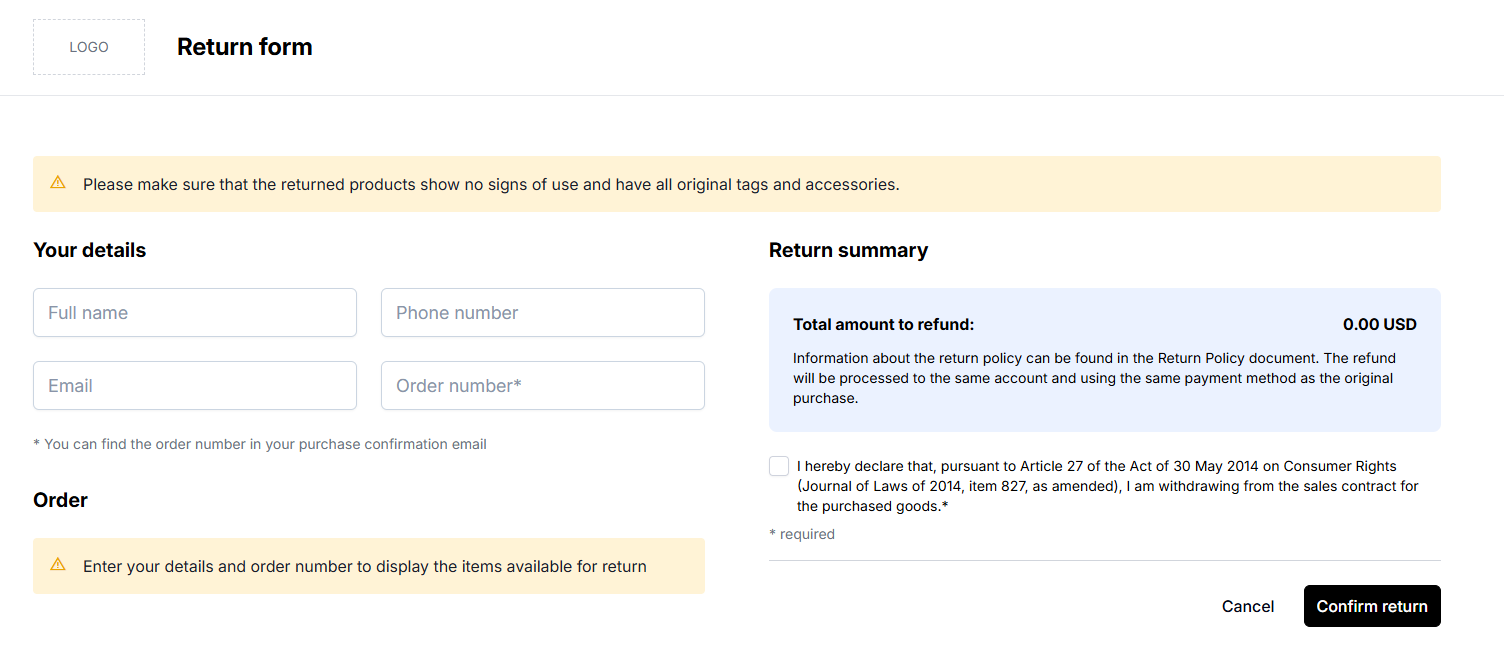
In the new form, customers will be able to request a full or partial refund. Everything happens in one place:
- First, the customer must fill in their details:
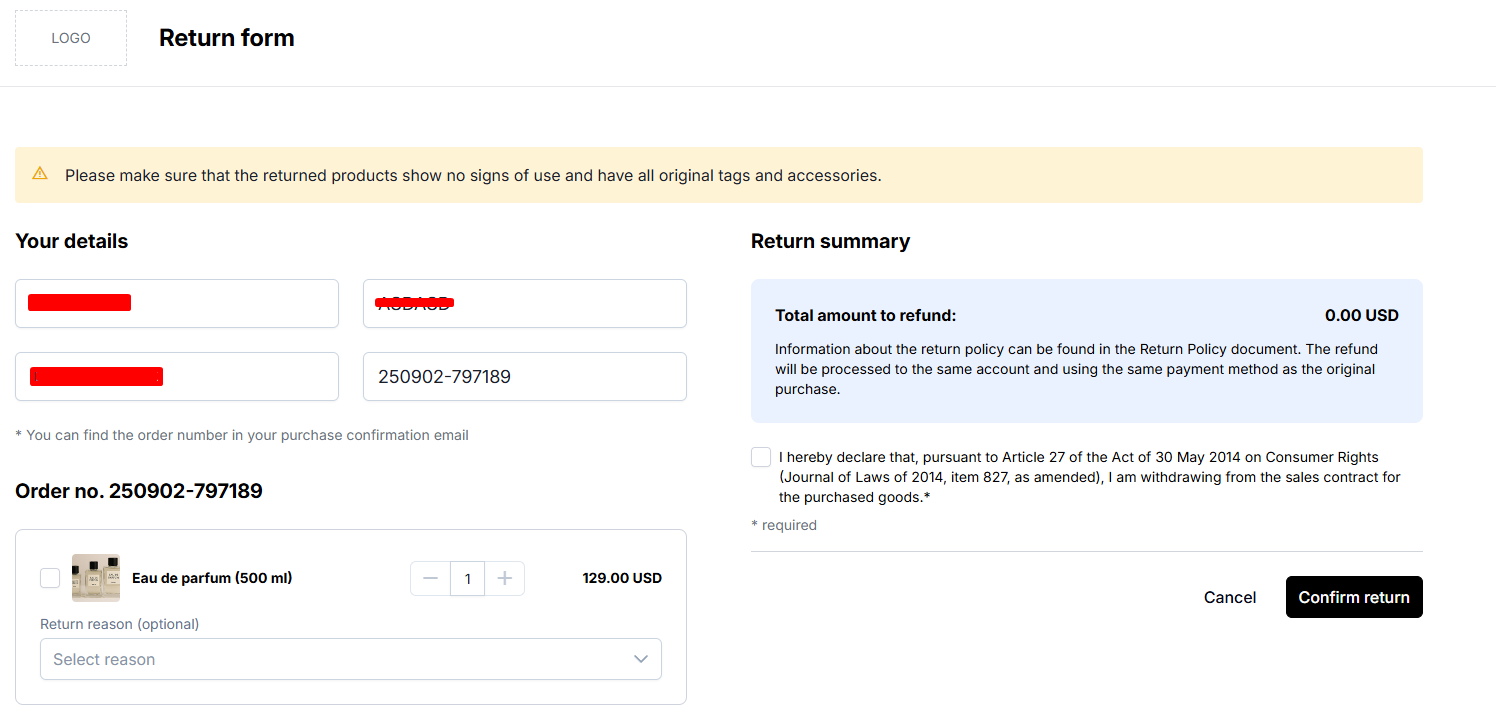
- After filling in the details, the system will load the products from the order number.
- Next, after selecting the chosen products, confirm with the "Confirm return" button, and after a moment, a message with the submission number will be displayed.
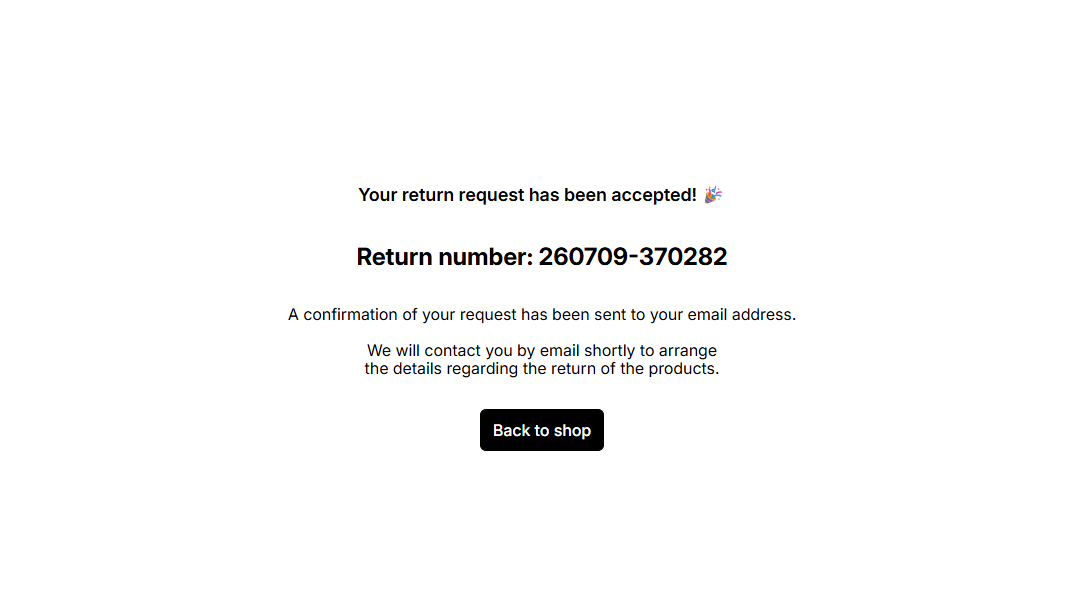
Done! After receiving the return number, both you and your customer will receive an email confirmation of the submitted request.