Kup stronę 60% Taniej
BLACK MONTH
BLACK MONTH
Do końca 2 DNI : 2 GODZIN : 2 MINUT : 2 SEKUND

Categories.

WebWave drag and drop website builder lets you create unique websites. You can build your website from scratch by starting with a blank page, or choose various website templates from our free collection and modify them according to your needs. With WebWave website builder, you have a complete website design and hosting system at your fingertips.
This website was created with WebWave.
Find us online
Contact.
Email us at:
contact@webwave.me
Or use the chat (Mon-Fri)
Website builder.
Offer.
Useful articles.
How to cancel subscription of premium plan and domain.
If you make purchases in WebWave using a payment card, it is automatically saved in the system and the subscription for your domains and premium plans is also enabled. If you do not want your domain and premium plans to be automatically paid, follow this guide.
How to disable the automatic subscription for the premium plan and domain
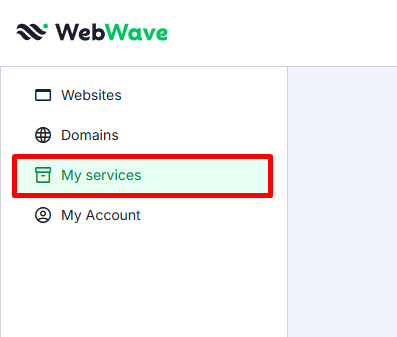
- After logging in to the Business Panel go to the "My services" tab.
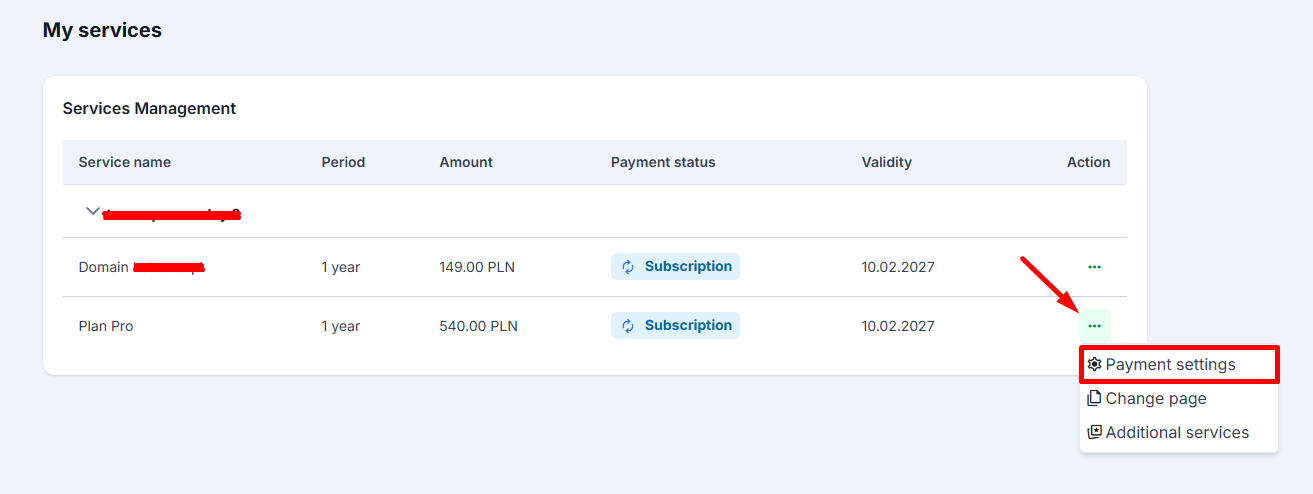
- Next select the service for which you want to disable the subscription and choose
"Payment settings"
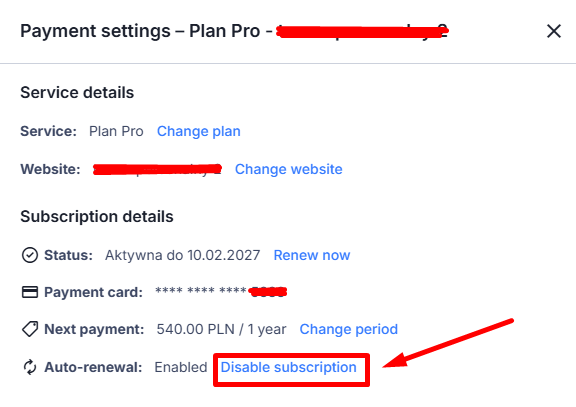
- In the settings window, in the subscription details, click "Disable subscription".
If you do not see the "Auto-renewal" section, it means that the subscription is already disabled!
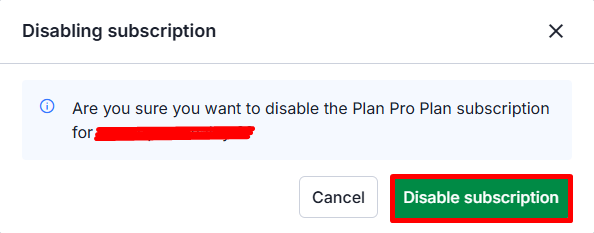
- In the new window confirm by selecting "Disable subscription".
- The subscription for the premium plan or domain for the given website has been disabled.